Updated 21 November 2026 · Written by the SubsBhai team (DBID 717009477)
Quick answer
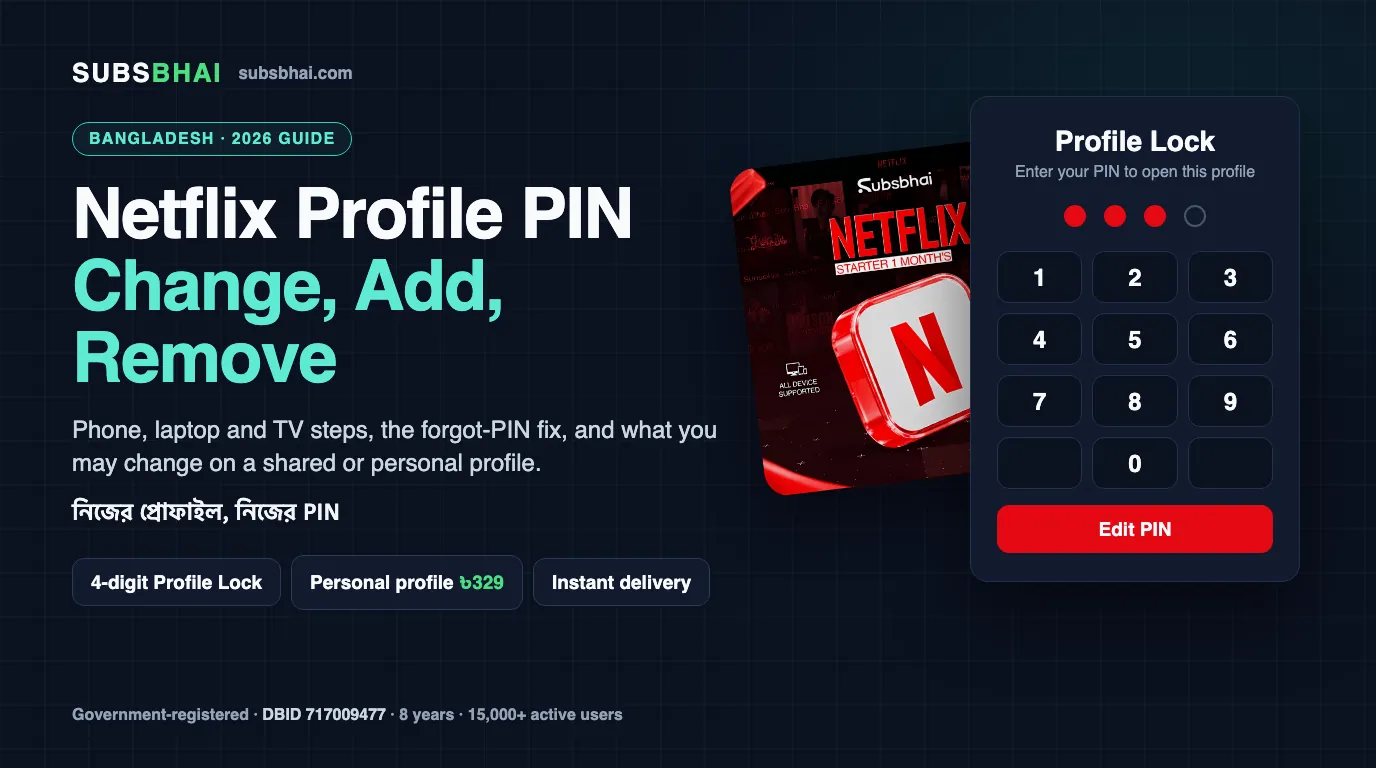
To change a Netflix profile PIN, open netflix.com/account → Profiles → your profile → Profile Lock → Edit PIN, confirm with your password or the code Netflix sends, type 4 new numbers and save. TVs cannot change the PIN, so do it on your phone or laptop and then refresh the TV. Bought a shared profile? Do not change it. Want your own PIN? Pick a Personal Netflix profile.
Netflix প্রোফাইল PIN বদলাতে ফোন বা ল্যাপটপে Account → Profiles → Profile Lock → Edit PIN চাপুন। টিভি থেকে PIN বদলানো যায় না। শেয়ার্ড প্রোফাইলের PIN কখনো বদলাবেন না।
In this guide
- What a Netflix profile PIN does
- Before you start
- Change the PIN on Android or iPhone
- Change the PIN on a laptop or PC
- Smart TV: why you cannot change it there
- Forgot your PIN?
- Remove the PIN or lock new profiles
- Bought from SubsBhai? Shared vs Personal
- Mistakes that lock people out
- PIN-locked plans in Bangladesh
- FAQ (22 answers)
What a Netflix profile PIN actually does
A profile PIN (Netflix calls it Profile Lock) is a 4-digit code that guards one profile. Anyone who taps that profile, on any phone, laptop or TV, has to type the PIN before they see your list, your history or your downloads.
That matters more in Bangladesh than most places. One Netflix account is often shared by family, cousins or flatmates, and one wrong tap can ruin your “Continue watching” row or your recommendations. A PIN keeps your corner of the account yours.
Before you start: 3 things to check
- Know the account password or have access to the account email. Netflix asks for one of them before it lets anyone change a PIN. That is a safety step, not an error.
- Use a phone or a browser. Smart TVs, streaming sticks and game consoles can ask for the PIN but cannot change it.
- Check what kind of profile you have. If you bought a shared profile from a seller, the PIN is not yours to change. More on that below.
How to change your Netflix PIN on Android or iPhone
The steps are the same in the Android and iPhone apps. It takes about a minute.
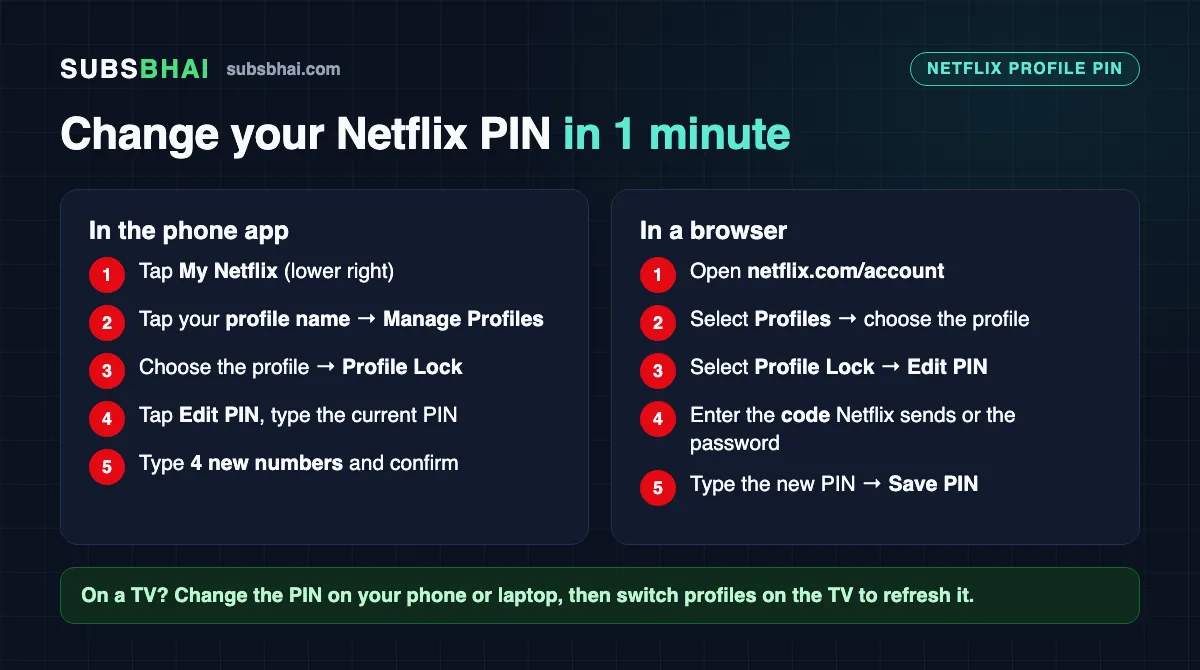
- Open the Netflix app and tap My Netflix in the lower right.
- Tap your profile name at the top, then Manage Profiles.
- Choose the profile you want to lock or change.
- Tap Profile Lock.
- To set a new lock, tap Create a Profile Lock and enter the account password when asked. To change an existing one, tap Edit PIN, type the current PIN, then the new one.
- Type 4 numbers you will remember (not 1234, 0000 or your birth year) and confirm.
If the app says your account has no password, use the browser steps below instead. Netflix itself notes this in its official Profile Lock help page.
How to change your Netflix PIN on a laptop or PC
- Open netflix.com/account in Chrome, Edge or Safari and sign in.
- Select Profiles, then pick the profile.
- Select Profile Lock.
- Click Edit PIN. Netflix may send a code to the account email or phone, or ask for the account password. Enter it.
- Type the new 4-digit PIN and click Save PIN.
On the website you can also tick Require PIN to add new profiles while you lock the main (first) profile. Nobody can then create an extra profile on the account without that PIN, which is handy when an account is shared in a big family.
Smart TV: why you cannot change the PIN there
Samsung, LG, Android TV, Google TV, Fire TV and Walton or Singer Android TVs only show the PIN keypad. Change the PIN on your phone or laptop, then make the TV catch up:
Forgot your Netflix PIN?
It happens to everyone, usually right when the match is about to start. Two ways out:
- On the PIN screen, tap Forgot PIN? and follow the steps. Netflix confirms it is you, then lets you set a new PIN.
- Or open netflix.com/account in a browser and use the same steps as above to edit or delete the lock.
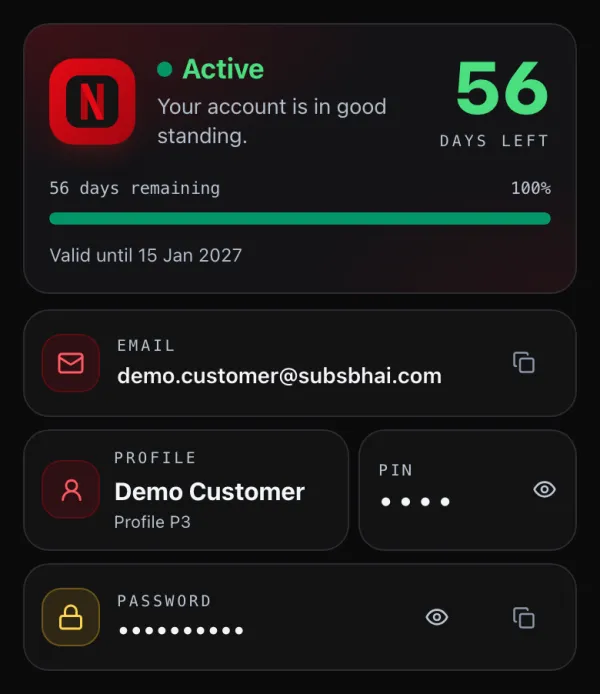
SubsBhai customers: your PIN is saved in your SubsBhai panel. Open the private link from your order (or sign in at subsbhai.xyz/cstmr) and tap the eye icon on the PIN tile. No need to message anyone.
Remove the PIN, or lock new profiles
To take the lock off, open Profile Lock and choose Delete Profile Lock, then confirm with your current PIN, password or code. The profile opens without a PIN from then on.
Thinking of a lock for the kids instead? Netflix has proper parental controls too: maturity ratings and blocked titles per profile. Lock every adult profile, not only yours, otherwise a child just taps the next one.
Bought from SubsBhai? Shared vs Personal profile
This is where most PIN trouble in Bangladesh starts, so here it is plainly:
| Shared profile | Personal profile | |
|---|---|---|
| Who uses the profile | You and one more user | Only you |
| Profile name and PIN | Set by us. Do not change them | Yours. Change them whenever you like |
| Where to see the PIN | SubsBhai panel | SubsBhai panel |
| Netflix 1 Month price | ৳249 | ৳329 |
| Best for | Watching on a budget | Privacy, your own list, your own PIN |
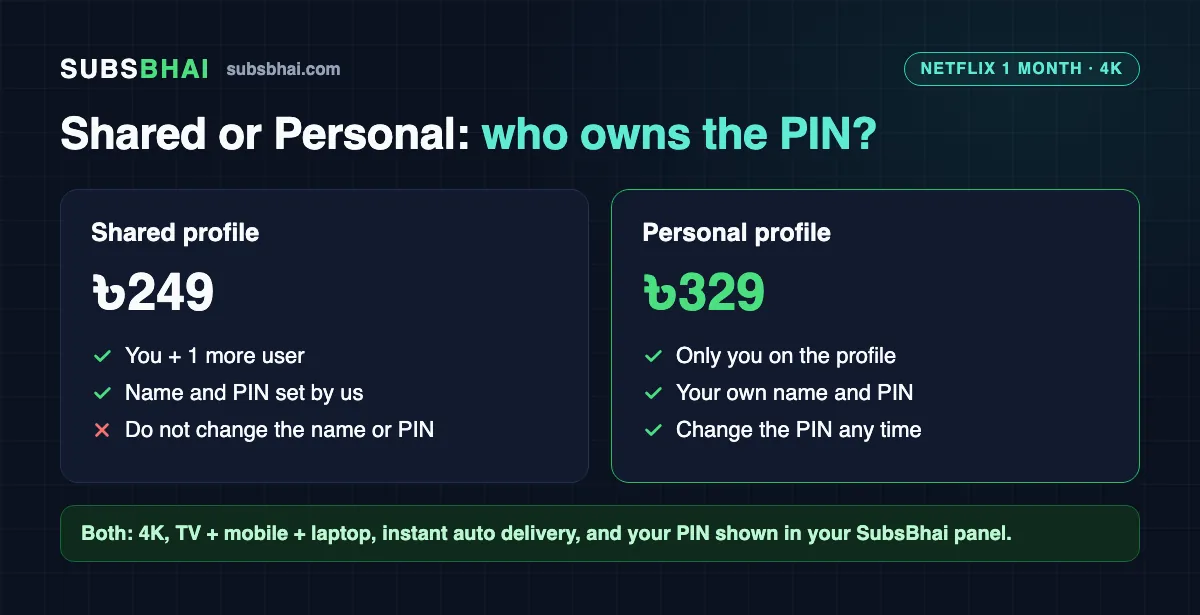
Changing the PIN of a shared profile locks the other person out, the profile then has to be reset, and both of you lose time. If privacy matters, the extra ৳80 for a Personal profile is worth it.
On a Personal profile you are free to change the PIN. If Netflix sends a confirmation code to the account email during the change, open Help → Profile or PIN in your panel and we will finish it with you.
Mistakes that lock people out (and how to avoid them)
1. Changing a shared PIN “just for privacy”
It feels harmless, but the other user is locked out within minutes. Choose a Personal profile instead.
✅ Fix: put the old PIN back or message us.
2. Using 1234, 0000 or a birth year
These are the first PINs anyone tries. A younger brother will crack them by lunchtime.
✅ Fix: pick 4 numbers that mean nothing to anyone else.
3. Forgetting to refresh the TV
The TV keeps asking for the old PIN, and people think the change failed.
✅ Fix: switch profiles or sign out and in on the TV.
4. Changing the account password instead of the PIN
On a seller account this signs everyone out and breaks your plan.
✅ Fix: never touch the account password or email on a bought plan.
PIN-locked Netflix plans in Bangladesh
Every plan below is paid in Taka with bKash, Nagad or card. The first three are delivered automatically, usually within 1–2 minutes, with your own SubsBhai panel.
Netflix 1 Month (4K)Instant auto delivery
Shared ৳249 · Personal ৳329 ৳350
Personal = your own name and PIN · View plan
Netflix 2 Months (Private Profile)Instant auto delivery
৳600 ৳800
Personal PIN-locked profile for 60 days · View plan

Netflix + Prime Video ComboInstant auto delivery
Shared ৳299 · Personal ৳399
Both services for 30 days in one order · View plan

Not sure which Netflix plan fits? Compare every price on our Netflix Subscription BD page, or read how the SubsBhai automation panel handles codes, household and renewals for you.
Frequently asked questions
How do I change my Netflix profile PIN?
Can I change the Netflix PIN from my TV?
How many digits is a Netflix profile PIN?
I forgot my Netflix profile PIN. What now?
Why does Netflix ask for a password or a code before I can change the PIN?
Can I remove the PIN completely?
Does a profile PIN stop other people watching on my profile?
What is “Require PIN to add new profiles”?
Can a Kids profile have a PIN?
Why does my TV still ask for the old PIN?
Can extra members have a profile lock?
I bought a shared Netflix profile. Can I change its PIN?
I bought a personal Netflix profile from SubsBhai. Can I change its PIN?
Where do I find my PIN after buying from SubsBhai?
Does changing the PIN log me out of other devices?
How often should I change my Netflix PIN?
Is a profile PIN the same as the Netflix account password?
Netflix PIN not working even though I typed it correctly. Why?
Can I use the same PIN on Netflix and Prime Video?
Netflix profile PIN কীভাবে পরিবর্তন করব?
শেয়ার্ড প্রোফাইলে কি PIN বদলানো যাবে?
Which SubsBhai plans come with a private PIN-locked profile?
All Netflix plans and prices in Bangladesh: Netflix Subscription BD – price list, bKash payment, instant delivery (2026)