Updated 10 November 2026 · Written by the SubsBhai team (DBID 717009477)
Quick answer
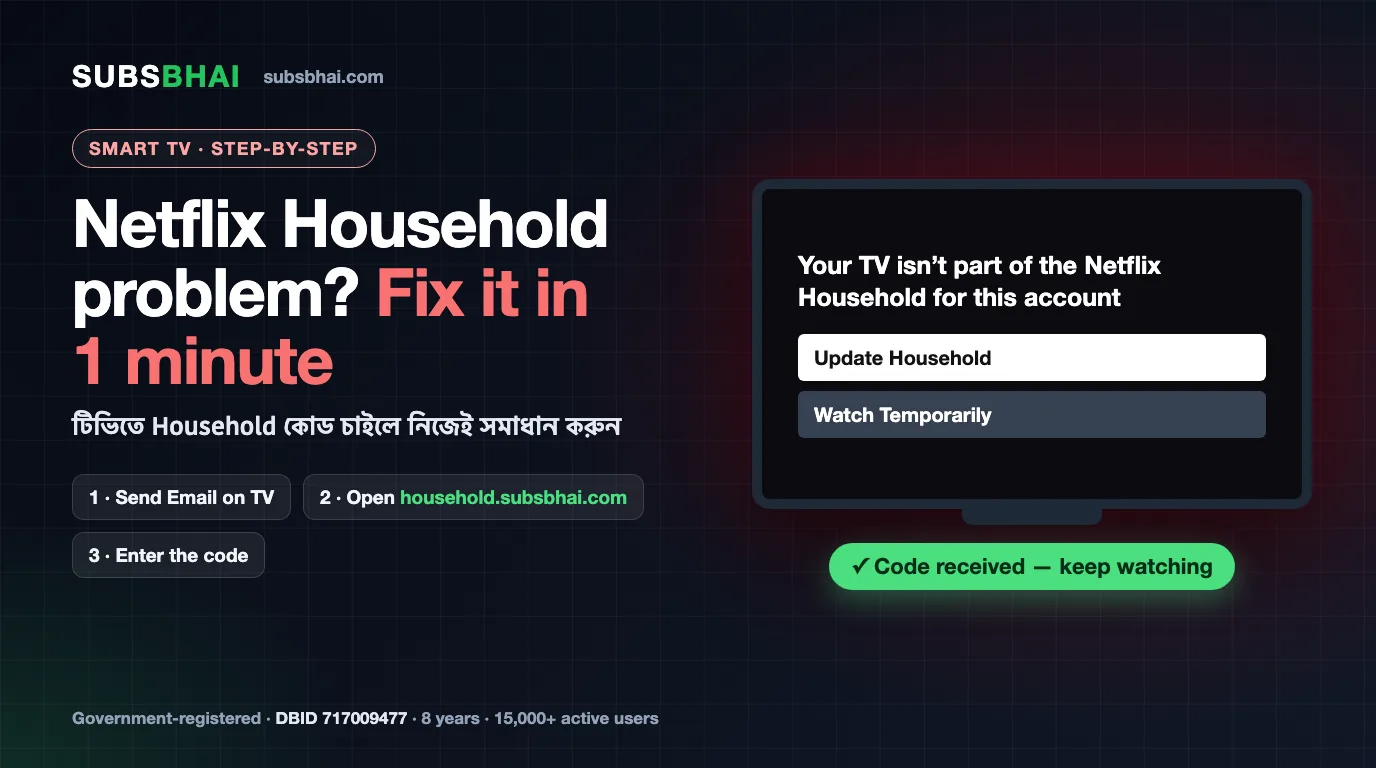
If your TV says it is not part of the Netflix Household, choose “Update Household” or “Watch Temporarily”, then “Send Email”. Open household.subsbhai.com (or the household section of your SubsBhai panel), enter the Netflix email from your order, and you get the code or link instantly. Enter it on the TV and keep watching.
স্মার্ট টিভিতে যদি Netflix “Household / Temporary Access Code” চায়, তবে সাপোর্ট টিমের জন্য অপেক্ষা না করে আমাদের অটো প্যানেল থেকে ১ ক্লিকে নিজেই কোড সংগ্রহ করুন:
In this guide
Why Netflix shows the household message
Netflix links every account to one main household: the TV and home Wi-Fi where it is mostly used. When a TV on another internet connection opens the account, Netflix asks it to verify. You may see “Your TV isn’t part of the Netflix Household for this account”, “Update Household” or a request for a temporary access code.
Netflix sends the code to the account’s email inbox. On a SubsBhai account that inbox is ours, so we built a Household Access Panel that gets the code for you in seconds, any time, without waiting for support.
Fix the Netflix Household problem in 1 minute
- On the TV, choose “Update Household” or “Watch Temporarily”, then “Send Email”.
- On your phone, open household.subsbhai.com.
- Enter the Netflix email you received with your order and submit.
- You get the code or link instantly. Enter the code on the TV (or open the link) and keep streaming in 4K.
বাংলায় ধাপগুলো:
- টিভিতে “Watch Temporarily” বা “Update Household” সিলেক্ট করে “Send Email” দিন।
- উপরের সবুজ বাটনে ক্লিক করে household.subsbhai.com ওপেন করুন।
- অর্ডারে প্রাপ্ত আপনার Netflix ইমেইল অ্যাড্রেসটি লিখে সাবমিট করুন।
- তাৎক্ষণিকভাবে প্রাপ্ত কোড বা লিংক দিয়ে টিভিতে নিরবচ্ছিন্ন 4K স্ট্রিমিং চালু রাখুন।
Fix it from your SubsBhai panel
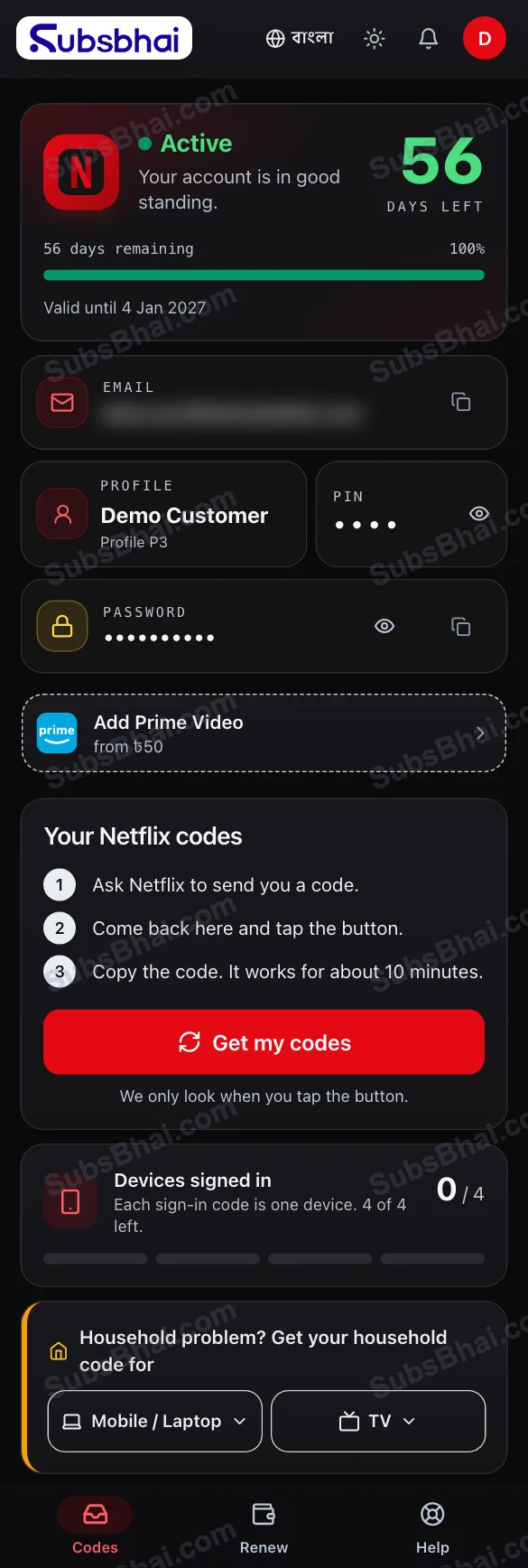
If you bought Netflix 1 Month, Netflix 2 Months or the Netflix + Prime Video combo, you also have your own SubsBhai panel. Scroll to “Household problem? Get your household code for”, choose TV or Mobile / Laptop, and the code appears there. The same panel gives you Netflix sign-in codes with one tap. Read more about how our instant auto delivery and panel work.
Tips if the code does not work
Netflix plans that include the household tool
Netflix 1 Month (4K)Instant auto delivery
Shared ৳249 · Personal ৳329
30 days, household tool included · View plan
Netflix 2 Months (Private Profile)Instant auto delivery
৳600 for 60 days
Your own profile and PIN · View plan

Netflix + Prime Video ComboInstant auto delivery
Shared ৳299 · Personal ৳399
Two services in one order · View plan
Comparing prices first? See our Netflix price in Bangladesh guide or all Netflix plans.
Frequently asked questions
Why does Netflix ask for a household code on my TV?
Is the household code free for SubsBhai customers?
How long is a household code valid?
Does it work on mobile and laptop too?
What if I do not get a code?
New guides
All Netflix plans and prices in Bangladesh: Netflix Subscription BD – price list, bKash payment, instant delivery (2026)