Updated 21 November 2026 · Written by the SubsBhai team (DBID 717009477)
Quick answer
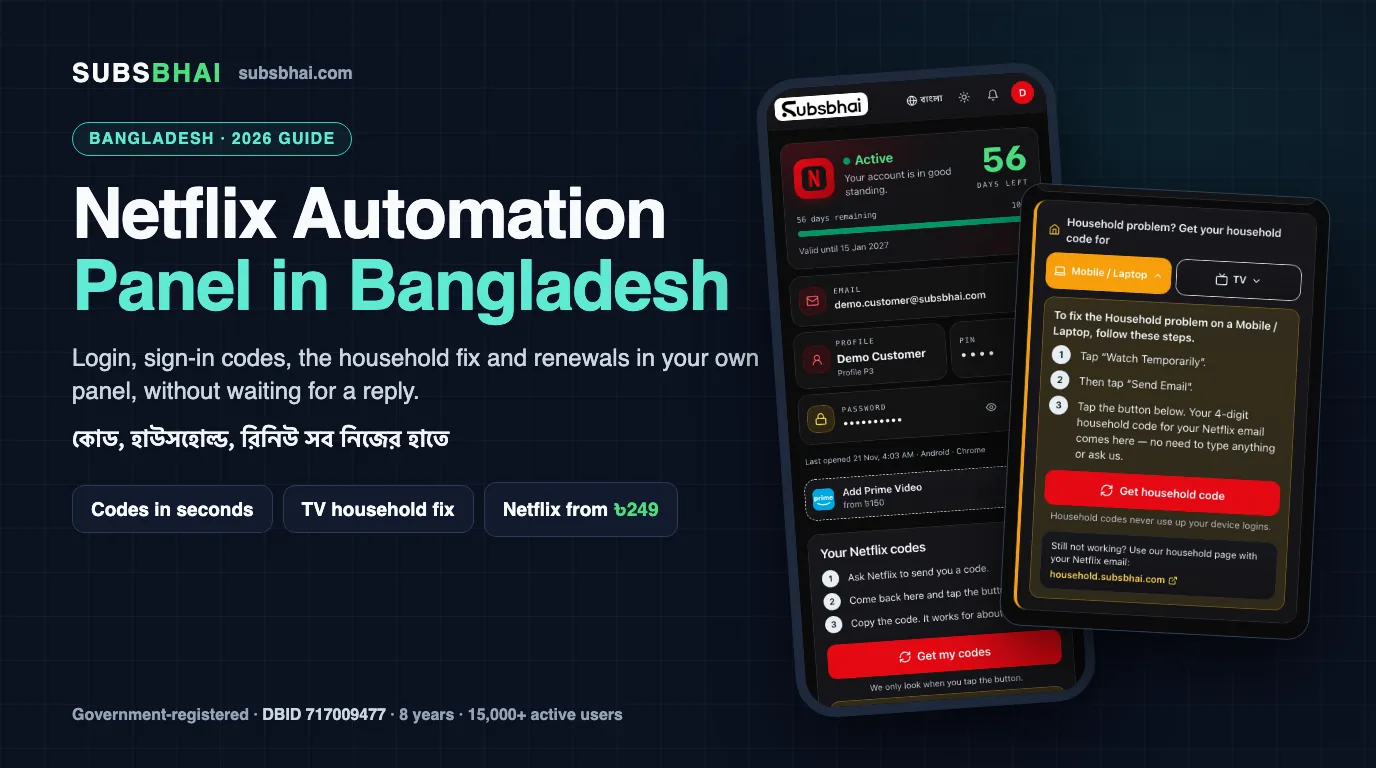
A Netflix automation panel is a private page that does the seller’s routine work for you: it shows your login and PIN, fetches sign-in and household codes in seconds, and renews your plan when you pay with bKash or Nagad. At SubsBhai it comes free with Netflix 1 Month, Netflix 2 Months and the Netflix + Prime combo, delivered automatically 1–2 minutes after payment.
অটোমেশন প্যানেলে লগইন, কোড, হাউসহোল্ড ফিক্স আর রিনিউ সব নিজের হাতে, দিন-রাত ২৪ ঘণ্টা। কাউকে স্ক্রিনশট পাঠাতে বা রিপ্লাইয়ের জন্য বসে থাকতে হয় না।
In this guide
- Why Bangladesh needed Netflix panels
- What a good automation panel does
- How to open your SubsBhai panel
- Your login, PIN and days left
- Sign-in codes in seconds
- Household fix for TV and mobile
- Renew with bKash, same profile
- Help, tickets and alerts
- Panel vs manual seller
- How to judge any seller’s panel
- Plans with instant auto delivery
- FAQ (22 answers)
Why Bangladesh needed Netflix automation panels
If you have bought Netflix from a Facebook page, you know the routine. Pay with bKash, send a screenshot, wait. Get the login, start a film, and twenty minutes later the TV says it needs a code. Message the page again. Wait again. At 1 a.m. or on Eid day, the wait can be until tomorrow.
Netflix itself made this harder. Since the household rules arrived, TVs and phones regularly ask for sign-in codes, household codes and “Update Netflix Household” confirmations, and every one of those emails lands in the account owner’s inbox, not yours. A seller who answers them by hand can never be fast enough.
An automation panel fixes that by giving the customer a safe, limited window into exactly what they need, and nothing more. You get your codes; you never see anyone else’s.
What a good Netflix automation panel does
How to open your SubsBhai panel
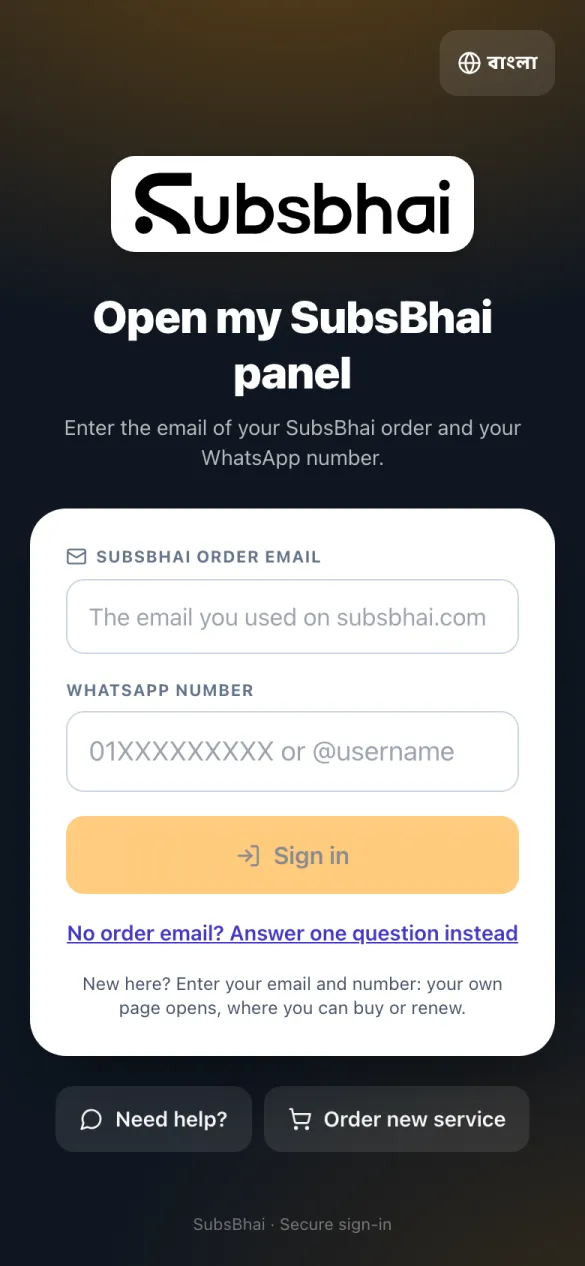
Right after payment, your order page shows your Netflix login and a button to your own panel. The same private link comes on WhatsApp. Save it to your home screen and you are set.
Lost the link or changed phones? Open subsbhai.xyz/cstmr and sign in with the email you used on subsbhai.com and your WhatsApp number. No order email? Tap “Answer one question instead” and tell us what you bought.
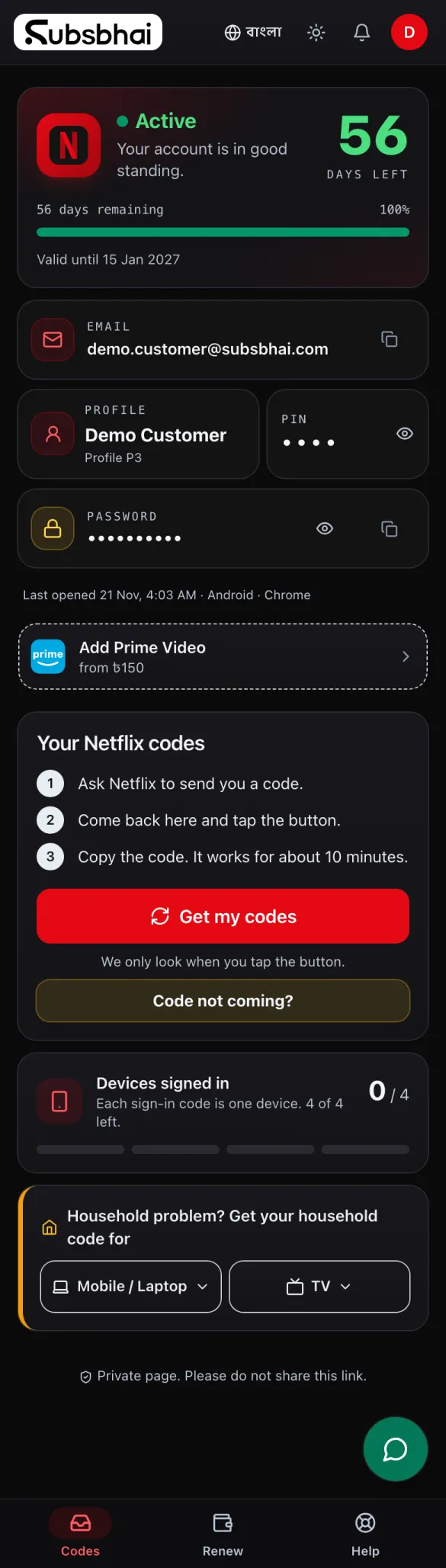
Your login, PIN and days left on one screen
The first screen answers the three questions every buyer has: is my plan active, how many days are left, and what is my login? Email and password have copy buttons, and the PIN stays hidden until you tap the eye, so nobody looking over your shoulder sees it.
Need to change your profile PIN? Our Netflix profile PIN guide explains what you can change on a Personal profile and why a shared profile’s PIN must stay as it is.
Sign-in codes in seconds, any time of day
New TV, new phone, or Netflix logged you out? Netflix lets you sign in with a one-time code instead of a password. With the panel it takes three steps:
- On Netflix, choose Use a sign-in code (Netflix sends the code to the account email).
- Come back to the Codes tab and tap Get my codes.
- Copy the code. It works for about 10 minutes.
Netflix explains the code itself on its sign-in code help page; if you asked for several codes, only the newest one works. The panel only looks when you tap, and only for codes of your own account. It also counts your devices: “Devices signed in 0 of 4” means four sign-ins are left. Household and TV codes never use up those sign-ins.
The household fix: TV and mobile, without waiting
“Your device isn’t part of the Netflix Household” is the message that made most Bangladeshi buyers give up on cheap sellers. The panel turns it into a one-minute job:
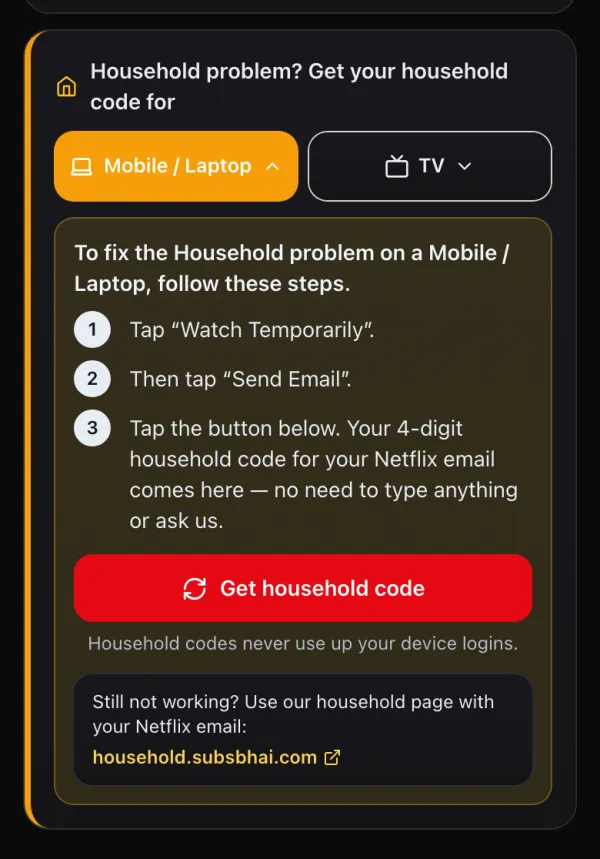
| Device | What you tap on Netflix | What you tap in the panel |
|---|---|---|
| Phone or laptop | “Watch Temporarily”, then “Send Email” | “Get household code”: a 4-digit code appears |
| TV | “Update Netflix Household” | “Get TV update link”: open it and tap Update |
| Code not coming? | Make sure you tapped “Send Email” | Wait 20 seconds, tap again, or use household.subsbhai.com |
The full picture-by-picture walkthrough for TVs is in our Netflix Household problem on TV guide, the standalone tool lives at household.subsbhai.com, and Netflix’s own steps are on its update a Netflix Household page.
Renew with bKash and keep the same profile
Renewing with a manual seller often means a new account, a new profile and a lost watch history. In the panel’s Renew tab you renew the profile you already have:
- Choose 1 month or longer, and Shared or Personal.
- Optional: add Prime Video in the same payment.
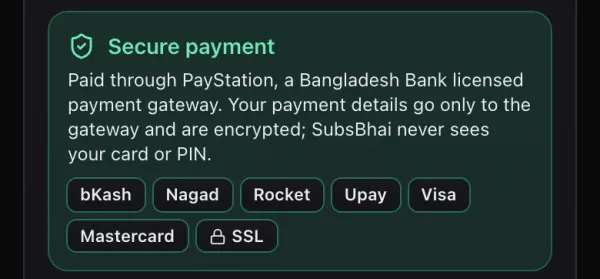
- Tap Pay online and pay with bKash, Nagad, Rocket, Upay, Visa or Mastercard.
- Your end date moves forward by itself as soon as the payment is done. Same email, same profile, same list.
Wondering why you cannot just pay Netflix with bKash directly? We answer that in Does Netflix accept bKash?.
Get Netflix with the automation panel included
Netflix 1 Month from ৳249Netflix + Prime from ৳299All Netflix plansHelp, tickets and alerts built in
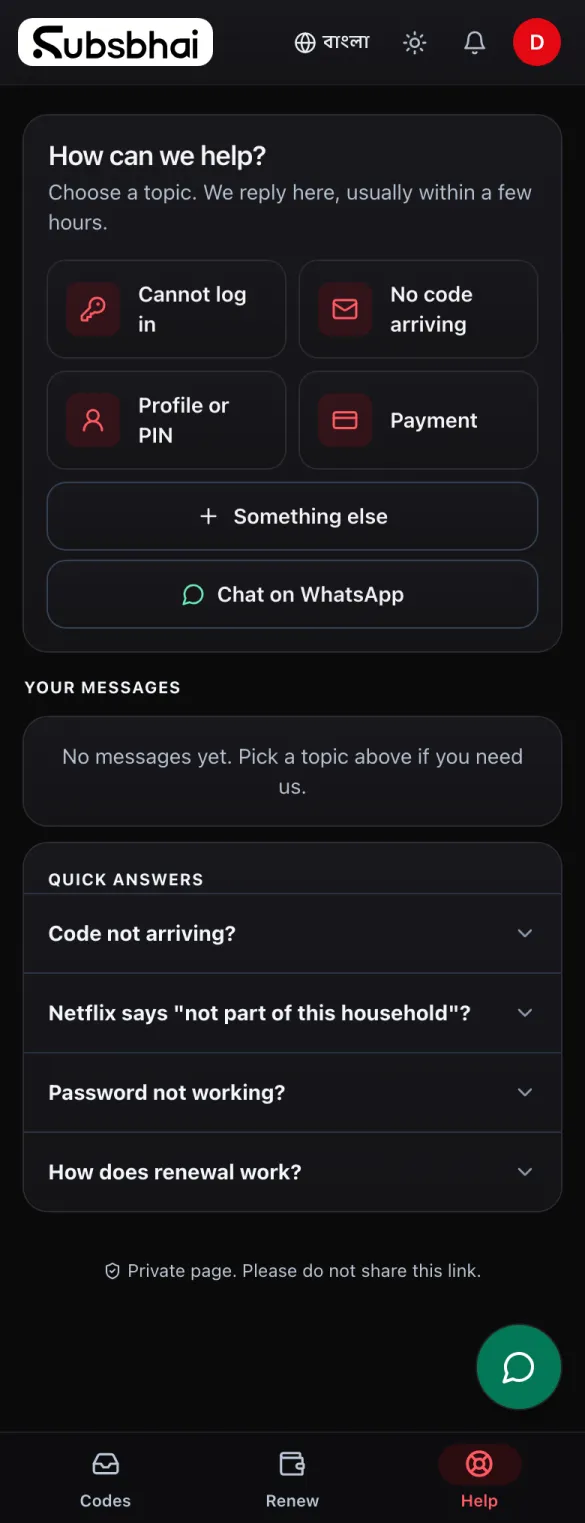
When something is not routine, the Help tab has topic buttons (Cannot log in, No code arriving, Profile or PIN, Payment), your message history and quick answers to the common questions. The reply comes back on the same page, and with notifications on, to your phone.
Automation panel vs manual seller
| Manual seller | SubsBhai automation panel | |
|---|---|---|
| Getting your login | Send screenshot, wait for reply | On the order page in 1–2 minutes |
| Sign-in code | Message and wait | Tap “Get my codes” |
| TV household problem | Hours, sometimes days | Fix it yourself in about a minute |
| Renewal | Often a new account | Same profile, pay in the panel |
| 1 a.m., Friday, Eid | Depends on someone being online | Works day and night |
| Proof of payment | Your bKash SMS | Invoice for every payment |
How to judge any seller’s “panel” before you pay
More pages in Bangladesh now advertise a panel or a code bot. Some are excellent, some are a WhatsApp number with a new name. Five quick checks:
1. Is it private to you?
A real panel opens with your own link or your own sign-in and shows only your login and codes. A shared Telegram bot that anyone can query is a risk to everyone on the account.
✅ SubsBhai: private link plus sign-in with order email and WhatsApp number.
2. Does it handle the household problem?
Sign-in codes are easy. TV household updates are where buyers actually get stuck.
✅ SubsBhai: separate TV and Mobile / Laptop helpers, plus household.subsbhai.com as a backup.
3. Can you renew without losing your profile?
If every renewal means a new account, your list and history disappear each month.
✅ SubsBhai: Renew tab keeps the same profile.
4. Is the payment licensed?
Paying a personal bKash number gives you no receipt and no protection.
✅ SubsBhai: renewals go through PayStation, a Bangladesh Bank licensed gateway, with an invoice for every payment.
5. Is there a real business behind it?
Look for a DBID and trade licence, not just a page name.
✅ SubsBhai: DBID 717009477, Trade Licence 201213660000020, 8 years in business.
More checks in our trusted Netflix seller checklist.
Plans with instant auto delivery
The first three come with the full panel described above. The bundles are delivered automatically too, with every login on your order page.
Netflix 1 Month (4K)Instant auto delivery
Shared ৳249 · Personal ৳329 ৳350
30 days with your own panel · View plan
Netflix 2 Months (Private Profile)Instant auto delivery
৳600 ৳800
Your own profile and PIN for 60 days · View plan
Netflix + Prime Video ComboInstant auto delivery
Shared ৳299 · Personal ৳399
Both logins on one panel page · View plan
3-in-1 Bundle: Netflix + Prime + HBO MaxInstant auto delivery
৳649 ৳999
1 month, no VPN needed, logins on your order page · View plan
4-in-1 Bundle: Netflix + Prime + HBO + Disney+Instant auto delivery
৳999 ৳1,400
1 month, free NordVPN, logins on your order page · View plan
Frequently asked questions
What is a Netflix automation panel?
Is the SubsBhai panel free?
How do I open my SubsBhai panel?
No order email? Can I still sign in?
How do I get a Netflix sign-in code from the panel?
How many devices can I sign in with codes?
My TV says “not part of your Netflix Household”. Can the panel fix it?
Netflix on my phone asks for a household code. What do I do?
The code is not coming. What now?
Can I renew from the panel?
Is paying in the panel safe?
Can I add Prime Video to my Netflix from the panel?
What if Netflix changes my login?
Can I see my ChatGPT, HBO Max or other logins in the panel?
Does the panel work on any phone?
Will I get notified before my plan ends?
Can someone else use my panel link?
How do I contact support from the panel?
Which SubsBhai products come with the full Netflix panel?
Is a panel the same as an SMM or reseller panel?
নেটফ্লিক্স অটোমেশন প্যানেল কী?
প্যানেল থেকে বিকাশে রিনিউ করা যায়?
All Netflix plans and prices in Bangladesh: Netflix Subscription BD – price list, bKash payment, instant delivery (2026)